CLI, automation and Linux desktop
Gistbar
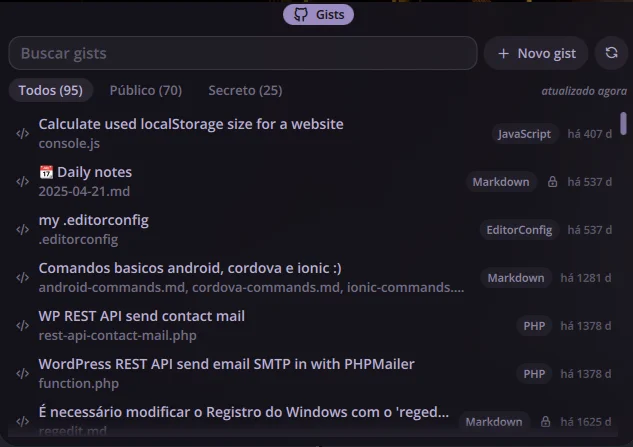
Plugin for Noctalia Shell that brings my GitHub gists to the bar: search by description, file name, language and content, copy from the keyboard, new gist from the clipboard, preview and edit, all through the gh CLI.
The problem
There are 95 accumulated gists, and finding a snippet meant opening GitHub, remembering which gist it was in and copying by hand. Creating a new gist with what was on the clipboard also went through the browser.
Technical decisions
A plugin of the shell itself, on the same architecture and the same visual kit as Daybar: logic in pure JavaScript functions tested with Vitest, QML only as the screen. All GitHub access goes through the gh CLI, so the plugin never touches a token, and content goes via stdin, never on the command line. Search ignores accents and covers content, which is why a gist exists, but description and file name weigh more. Content stays in a local cache with 0600 permissions and is only downloaded again when the gist changes. A new gist is born secret, because publishing by mistake is the worst possible failure here.
Outcome
Personal use on my desktop with CachyOS, published under the MIT license, with 151 tests. Tested on Noctalia 4.7.7; the port to Noctalia v5 is planned.
Shortcuts
- Mod + G
- opens gist search
- Mod + Ctrl + G
- creates a gist from the clipboard
- ↑/↓
- navigates the list
- Enter
- copies the first file of the gist
- Shift + Enter
- copies the gist link
- Esc
- clears the search
- Ctrl + E
- edits the description and the open file in the preview
- Ctrl + S
- saves the edit to GitHub
Images