
#linux#tips#productivity#wayland7 min read
espanso: iPhone text replacement, now on my Linux
I used macOS Text Replacement for years and still use it on the iPhone every day. On CachyOS with Niri, espanso does the same in any text field, after three tweaks the docs never mention.
Reading settings
On the iPhone I type vc and get “você”, I type .email and get my full email. I used macOS for a few years with the same “Text Replacement” configured, and the list grew with it: address, CNPJ, WhatsApp link, (╯°□°)╯︵ ┻━┻ for the rough days. On CachyOS, that did not exist, and I missed it.
My first idea was to write a tool for it. No need: espanso has existed since 2019, is written in Rust, runs on Linux, macOS and Windows, and had a fresh release (2.4.1) when I installed it. What the docs do not make clear is what changes when your desktop is Wayland, with a compositor that is neither GNOME nor KDE. Here it is CachyOS with Niri, and it took three tweaks to get it right.
What espanso does
It listens to the keyboard and, when you finish typing a trigger, deletes the trigger and puts the text in its place. It works in any text field: browser, terminal, chat, editor. The shortcuts live in YAML files under ~/.config/espanso/match/, and it reloads on its own when you save.
matches:
  - trigger: ".email"
    replace: "voce@exemplo.com"
Besides fixed text, it accepts variables (date, time, command output, clipboard), forms and regex. Beyond dates, I barely use that; the fun for me is the short shortcut list that already lives in my muscle memory.
Installing on each distro
First find out whether your session is X11 or Wayland, because espanso has a build for each:
echo $XDG_SESSION_TYPE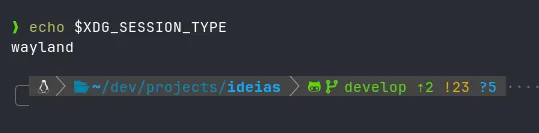
On Wayland it reads the keyboard straight from the kernel (evdev), so the binary needs an extra capability. That setcap shows up in every Wayland install below, and forgetting it gives the worst symptom possible: espanso runs, but sees no keys.
Arch, CachyOS and Manjaro
It comes from the AUR, which compiles Rust, so it takes a few minutes:
paru -S espanso-wayland   # ou espanso-x11
espanso service register
espanso start
The AUR package already applies setcap on install.
Ubuntu and Debian
For Wayland:
wget https://github.com/espanso/espanso/releases/latest/download/espanso-debian-wayland-amd64.deb
sudo apt install ./espanso-debian-wayland-amd64.deb
sudo setcap "cap_dac_override+p" $(which espanso)
espanso service register
espanso start
For X11, swap the .deb for espanso-debian-x11-amd64.deb and skip setcap.
Fedora
After enabling the Terra repository:
sudo dnf install espanso-wayland   # ou espanso-x11
sudo setcap "cap_dac_override+p" $(which espanso)
espanso service register
espanso start
Other distros
With X11 there is an AppImage that runs on any distro, and you can build from source in both cases. The commands are on the Linux install page.
The first start that said it had worked
I installed it, ran espanso service register and espanso start. The output was this:
unable to start service: timed outAnd the exit code was 0. My setup script read the 0, printed a green check and moved on with espanso stopped (the kind of green I have already learned to distrust). espanso status told the truth: espanso is not running.
The cause was in a window. On the first run, the launcher opens a welcome screen and only starts the daemon after someone clicks it; the timeout was it waiting for my click. I went to the source and, on Linux, that screen is the only page of the wizard. It is skipped when a file with a preference written as JSON exists:
mkdir -p ~/.cache/espanso/kvs
printf 'true' > ~/.cache/espanso/kvs/has_completed_wizard
Clicking the window fixes it the same way. The file is for when the install runs on its own, on a fresh OS, with nobody watching. And the rule that stuck: after start, what says whether it came up is espanso status, not the exit code.
Three tweaks in default.yml
This is my config/default.yml, with why each line is there:
keyboard_layout:
  layout: "us,br"
  variant: "intl,"

backend: Clipboard
preserve_clipboard: true

search_shortcut: off
The layout has to be declared. Outside GNOME and KDE, espanso cannot discover the active layout on Wayland (the log warns with keyboard layout watcher couldn't determine active layout). I copied the xkb block from my Niri config.kdl, which uses international us with br as a second option. If you use plain ABNT2, it is layout: "br".
Text goes in through the clipboard. Espanso’s default is to simulate keys, and on us-intl that is a trap: single and double quotes are dead keys. An injected ' followed by c becomes ç, and the text arrives broken. With backend: Clipboard, it pastes the text and restores what was on the clipboard before.
The search shortcut is gone. Espanso opens a shortcut search with Alt+Space, which on my Niri is the key that switches between the us and br layouts. I turned search off.
Why my shortcuts start with a dot
The docs convention is to start the trigger with a colon: :email. That did not last: in several apps (Slack, Discord, GitHub) : followed by letters opens the emoji picker, and the picker showed up before espanso swapped the text.
I went back to the dot, which is how I already did it on the iPhone. The dot has the opposite problem: it shows up in the middle of a domain, a filename and a version. Without care, nandomoreira.site would become nandomoreirahttps://.... The left_word option fixes that, because the trigger only fires at the start of a word:
  - trigger: ".site"
    left_word: true
    replace: "https://seusite.dev"
Shortcuts without a dot, like vc and tbm, need the whole word (word: true), otherwise vcard would become vocêard. And propagate_case keeps the capital: Vc becomes “Você”.
  - trigger: "vc"
    replace: "você"
    word: true
    propagate_case: true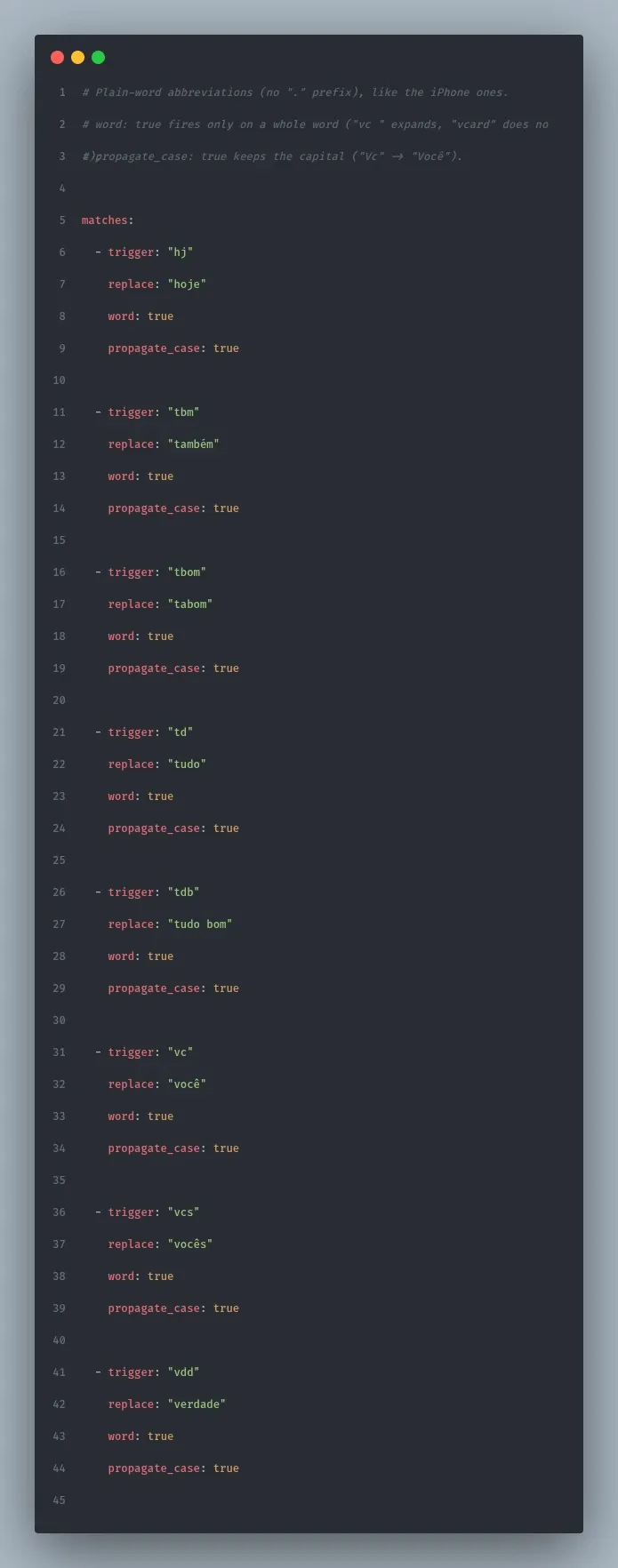
One thing I found by testing, and I tell it because it will happen to anyone coming from the iPhone. There the swap happens when you type the space after the shortcut. I tried @@ after a word and got contato @nandomoreira.dev, with a leftover space. The space was mine: I was typing as if it were what triggered the swap. In espanso, a dotted shortcut expands the moment you finish typing it, with no space wait. Only the whole-word ones (word: true) wait for a separator, and that separator stays in the text.
How I organized the 41 shortcuts
I screenshotted the list in iPhone Settings, moved everything to YAML and split it into four files under match/:
| File | What is in it |
|---|---|
base.yml |
Contact and links (email, site, GitHub, WhatsApp) and dates |
personal.yml |
Documents and address |
abbrev.yml |
Abbreviations without a dot: vc, vcs, tbm, hj, td, vdd |
fun.yml |
Laughs, (╯°□°)╯︵ ┻━┻, ¯\_(ツ)_/¯ and the inside jokes |
Personal data lives in a separate file on purpose: if that folder ever ends up in a public repository, I know exactly what to pull out.
Two features that paid off. A shortcut can have more than one trigger, which cleaned up the duplicates I carried from the iPhone (.wa and .whats pointed at the same link):
  - triggers: [".wa", ".whats"]
    left_word: true
    replace: "https://wa.me/5511900000000"
And dates, which the iPhone does not do, come out in Brazilian format:
  - trigger: ".hoje"
    left_word: true
    replace: "{{today}}"
    vars:
      - name: today
        type: date
        params:
          format: "%d/%m/%Y"
When a shortcut does not work after saving, it is almost always YAML indentation. Two commands show where:
espanso match list                     # o que ele carregou de fato
grep ERROR ~/.cache/espanso/espanso.log
On a fresh OS, without remembering anything
The ~/.config/espanso folder here is a symlink into my dotfiles, so the shortcuts travel with the rest of the config. On a fresh OS, the setup installs espanso-wayland, checks the capability, marks the welcome screen as seen, registers the service and only goes green when espanso status confirms. Each step only runs if its check fails, and a --check repeats the checks without changing anything.
I stuck with espanso and wrote no tool of my own. And, to be honest, I like how it solves this problem a lot more than iPhone and macOS Text Replacement. There it is a list of shortcut and text, and that is it. Here I get a date in whatever format I want, more than one trigger for the same text, control over when the shortcut fires (start of word, whole word, capital kept) and everything in a file I version with the rest of my config. I decide what is written and how it is written.
The three tweaks above are now in the script, and a fresh OS is born with my shortcuts.
{{end}}
DISCUSSION
Leave a comment and let's discuss this article
Oops, failed to load comments. Come back later.
No comments yet. Be the first to write one.
